Makes your WordPress site faster, and tells you the truth when something else is holding it back.
- Page caching on activation
- Store-safe defaults
- No config files
- Free forever on unlimited sites
- No code required
- 14-day money-back on Pro
Page caching, browser caching, compression and lazy loading start working the moment you activate the free plugin. Cart, checkout and account pages are left alone before you configure anything.
Works with what you already run
- WooCommerce
- Elementor
- WPML
- Polylang
- Cloudflare
- Yoast
- Divi
- Varnish
The problem, drawn
Every uncached visit rebuilds the page from nothing.
WordPress boots PHP, queries the database, runs the theme and every active plugin, and only then has HTML to send. A page cache keeps that finished HTML and hands it over before any of that starts.
Illustrative timings for a typical shared host, not a measurement. The sequence is what every uncached WordPress request does; results on your site depend on hosting, theme and plugin mix.
Everything in one plugin
Replaces three to five plugins. Costs less than one.
Caching, file and media optimisation, database cleanup and CDN tools in one plugin. Every feature says whether it is in the free edition or needs Pro.
Pages served before WordPress even loads.
Caching Out saves each page as ready-made HTML, so visitors are not waiting for PHP and the database to build it again.
-
In the free edition
Page cache on activation: On the moment you activate. No licence, nothing to configure.
-
In the free edition
Browser caching, GZIP & Brotli: Written into your server configuration for you: it checks the result and replaces the file in one step, and if the file cannot be written, nothing is written at all. 1
-
Pro only
Cache preloading: Crawls your sitemap in the background so the first real visitor lands on a cached page.
Lighter CSS and JavaScript, one switch at a time.
Every file optimisation is off until you choose it, and each has an exclusion list for the one file that misbehaves.
-
In the free edition
Minify CSS & JS, defer JavaScript: Smaller files, and scripts that can wait stop holding up the page. 2
-
Pro only
Combine files, Optimize CSS delivery, Delay JS: Fewer requests. The styles the top of the page needs are inlined and most of the rest load after first paint; any stylesheet that lays out that top section stays render-blocking.
-
Pro only
Unused CSS/JS: Stop plugin files loading on pages that never use them.
Images and video load when visitors reach them.
Lazy loading is on out of the box, and missing image dimensions are filled in so the page does not jump.
-
In the free edition
Lazy loading for images, iframes and video: Images, iframes and video below the fold load as the visitor scrolls to them.
-
In the free edition
Hero image priority: Your hero image is given priority, so it appears sooner.
-
Pro only
WebP and AVIF delivery & YouTube click-to-load: Serve WebP and AVIF copies that already exist, and swap heavy embeds for a thumbnail. 3
-
Pro only
Image compression: Pick heavy images from your Page Audit and review them in one place: see each image before and after, and choose. 4
Clear the clutter – and see it before it goes.
Remove post revisions, auto-drafts, trashed posts, spam comments and expired transients, once or on a schedule.
-
In the free edition
Clean once, after a preview: Nothing goes until you have seen exactly what will go.
-
Pro only
Clean on a schedule: Daily, weekly or monthly – whatever suits the site.
Your CDN and cache layers, kept in sync.
Point your assets at your CDN without editing a theme file, and clear every cache layer when a page changes.
-
Pro only
CDN rewriting: CSS, JavaScript, images, fonts and video served from your CDN hostname. 5
-
Pro only
Cloudflare, Varnish & Sucuri purge: When Caching Out clears a page, they clear it too – including when you clear it by hand. 6
-
Pro only
WP-CLI: Purge, preload, audit and roll out settings from the command line.
Speed for the shop, never at the checkout's expense.
From the moment caching is on – before you configure anything – the pages that must stay live do.
-
In the free edition
Cart, checkout and account left alone: Never cached and never optimised.
-
In the free edition
Live pages for carts, logins and sessions: Any visitor carrying one of those cookies always gets a fresh page.
-
In the free edition
Multilingual caching: Each language gets its own cache on WPML and Polylang sites with per-language URLs. 7
Notes and caveats (7)
Brotli compression requires your server to support it. Where it is not available, Caching Out uses GZIP, which is supported effectively everywhere. The plugin checks before writing anything, checks the result and replaces the file in one step (if the file cannot be written, nothing is written at all), and never overwrites a block belonging to another plugin. ↩
Minify, combine and defer change how a page is built, which is why each of them is off until you switch it on. Switch one on at a time and check the page afterwards. Every one has an exclusion list for a file that misbehaves, and switching it off again restores the page as it was. ↩
Caching Out serves WebP and AVIF copies of your images to browsers that support them, when those files already exist on your server. It does not convert your images in bulk – use an image conversion plugin for that, and Caching Out will deliver the results; Caching Out Pro can also compress one image at a time and make its copies. Safari supports both formats but does not announce them, so it may receive the original images. Caching Out never sends your images anywhere. ↩
You choose each image and see it before and after; Caching Out compresses one image at a time rather than a whole library. JPEG, PNG and WebP images in the Media Library (PNG losslessly, so savings are usually small; animated and lossless WebP are left as they are); pixel dimensions never change. How much smaller an image gets depends on the image. AVIF copies need server support. Performance results vary depending on hosting, theme, plugins and traffic. Benchmark figures are measured on our published test suite and are not a guarantee of results on any specific site. ↩
One CDN hostname per site. Caching Out rewrites the URLs of your CSS, JavaScript, images, fonts and video to that hostname; you keep full control over which file types are rewritten and which paths are excluded. ↩
Caching Out clears individual URLs from Varnish out of the box. A full Varnish flush needs a purge-capable VCL configuration on your server; ask your host or your systems administrator whether yours has one. ↩
Per-language caching applies to WPML and Polylang sites where each language has its own URLs – a subdirectory such as /fr/ or a separate domain. That covers most multilingual sites. If your site serves several languages from the same URL using a cookie, or runs a multi-currency store, Caching Out deliberately does not cache those pages at all, because serving one visitor's language or currency to another would be worse than serving an uncached page. ↩
Image compression
See each image before and after, and choose.
Pick heavy images from your Page Audit and review them in one place. One image at a time, on your own server; nothing is uploaded anywhere.
-
Image compression Pro only
Pick an image (from the Page Audit’s ‘Hero image weighs …’ finding or the Media Library) and Caching Out makes it smaller on your own server: the same image at the same address for every browser, Safari and iPhones included, plus WebP and AVIF copies for browsers that accept them. See each image before and after, and choose.4
One image at a time. JPEG, PNG and WebP images in the Media Library.
-
Picked from your Page Audit Pro only
Pick heavy images from your Page Audit and review them in one place: see each image before and after, and choose.4
The audit's 'Hero image weighs …' finding carries Compress this image; the Media Library lists every image's state.
-
Restored with one click Pro only
Nothing is uploaded anywhere, and every image can be restored to its exact original with one click.4
An exact backup is kept before anything is replaced; Restore puts the original bytes back.

Fast by default, tunable on demand
Three steps. Then stop thinking about it.
Nothing here needs a config file. The word "optional" on step three is meant literally – the defaults are the recommendation.
-
Activate
Install the free plugin from WordPress.org and activate it. Page caching, browser caching, compression and lazy loading start there and then.
-
Wizard
The Setup Wizard walks every setting in order: what is on, what stays off, and why. A Pro key on the last panel switches on the rest.
-
Tune optional
Plain-English switches for the rest, each saying what it does and what it might affect. Leave them alone and nothing is lost.
Proof you can check
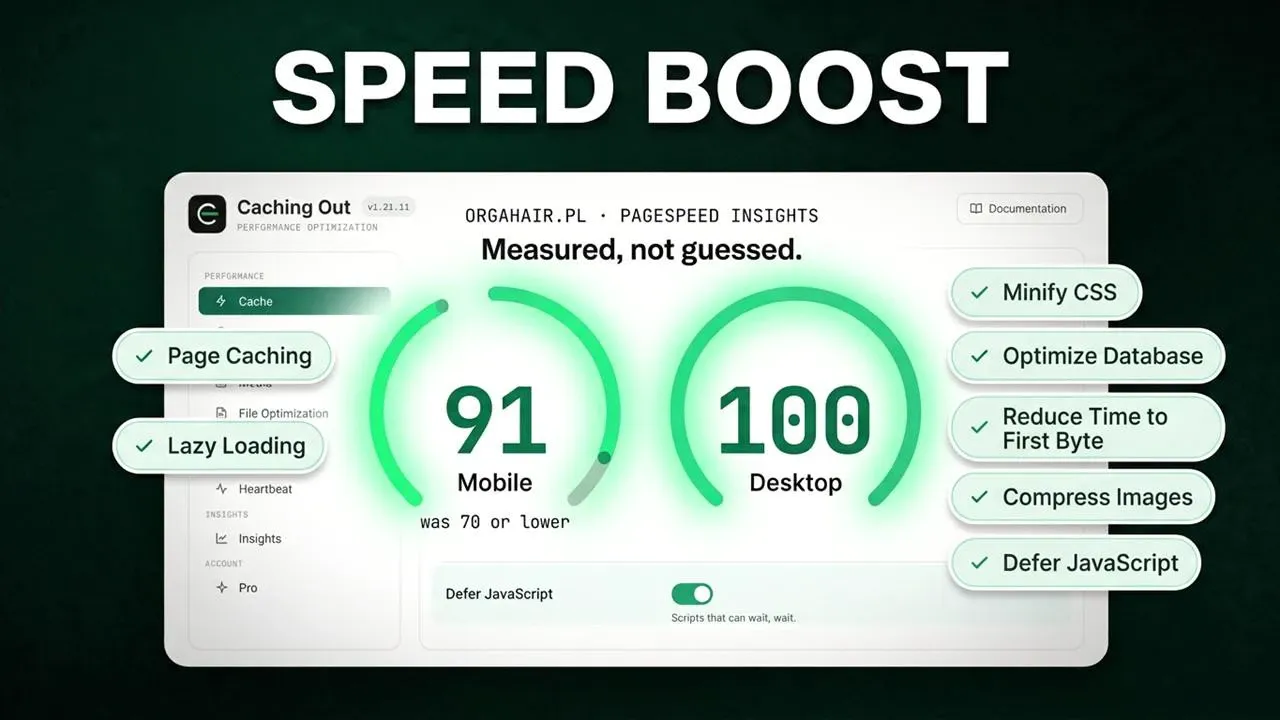
Measured, not guessed.
No borrowed screenshots. Caching Out tests your own site, shows you what changed, and publishes exactly how we benchmark so you can run it yourself.
-
In the free edition
Page Audit & Filesystem Check
See what is slowing each page, and whether caching can write safely, before you switch anything on.
-
Pro only
Find out what went wrong
Every change is recorded and most can be undone in one click. The assistant already knows your setup and can point to the change behind a problem. 8
-
In the free edition
The visitors you paid for get the fast page
Open a page you have already visited with ?fbclid=test on the end and view the source: the same cached page, with Caching Out's cached-page line in it. Tracking codes from social and ad links are ignored.
-
Published method, free to run
Published benchmark method
Our methodology is public, step by step. Run it on your own host and compare.
- What the plugin sends: documented
- Uninstall removes the cache, the drop-in and the server block
- Every release in the public changelog
Note and caveat (1)
The assistant answers questions about Caching Out and your site's configuration. It is fair-use limited (currently 50 questions a day and 300 a month per licence) and it is not a general-purpose AI chatbot. Answers are generated by an AI model and can be wrong – check anything consequential against the linked documentation. ↩
One plugin, three kinds of site
Built for the site you run.
The same plugin for every kind of site, and every paid plan has every Pro feature. What changes is how many sites you run it on.
Site owners & bloggers
You should not need performance jargon to have a fast site.
- Nothing to configure on day one
- Plain-English switches that say what they might affect
- A Page Audit that shows what is still slowing each page
WooCommerce stores
Speed up the shop without gambling with the checkout.
- Cart, checkout and account pages never cached
- Live pages for anyone with a cart or a login
- Multi-currency pages deliberately left uncached 7
Freelancers & agencies
One licence across the whole portfolio.
- Up to 500 sites on one licence
- Export settings from one site, import into the next
- Multisite rollout with a preview of every change
- WP-CLI for purge, preload and rollout
Simple pricing
Start free. Go Pro when you're ready.
Every paid plan includes every Pro feature. You are only choosing how many sites.
-
Single
$59 /year
1 site
One site you care about.
$59 per site
- Every Pro feature
- One year of updates, support and the assistant
-
Recommended
Plus
$119 /year
3 sites
A shop plus a side project, or a small portfolio.
About $39.67 per site
- Every Pro feature
- One year of updates, support and the assistant
-
Multi
$299 /year
50, 100 or 500 sites
Freelancers, agencies and multisite networks.
From $0.60 per site
- Every Pro feature
- One year of updates, support and the assistant
Every Pro plan includes
- Everything in the free edition
- Image compression: JPEG, PNG and WebP, one image at a time on your own server, with a before / after view and one-click restore 4
- Optimize CSS delivery, Delay JavaScript, combine CSS and JS
- Unused CSS/JS: stop plugin files loading on pages that never use them
- Cache preloading and CDN rewriting 5
- Cloudflare, Varnish and Sucuri purge 6
- Find out what went wrong without a support ticket: an Activity record with one-click revert, and an assistant that already knows your setup. Plus Performance Insights. 8
Free edition – $0 – unlimited sites
Not ready for Pro? Start with the free edition.
Page caching that also covers visitors from your social posts and ads, browser caching, GZIP and Brotli, lazy loading, minify and defer, and the full Page Audit – free for as long as you like.
Before you decide
The questions people actually ask.
Answered plainly. If yours is not here, ask us and we will add it.
Is the free version really free?
Will this break my site?
My host already has caching.
Do visitors from my Facebook, Instagram and Google ads get the fast page?
Do I need to know anything technical?
Can I use it on client sites?
What happens when the licence runs out?
How is this different from the other premium caching plugins?
Does Caching Out compress my images?
How do I remove Caching Out completely?
Keep reading
Latest from the blog.
Ready when you are
Stop losing visitors to a loading spinner.
Install it, activate it, and the first cached page is served before you have opened a single settings panel.
- Free on WordPress.org
- No code required
- 14-day money-back on Pro
- Works on standard shared and managed hosting
- Renews yearly, cancel any time